

If you are shopping on Walmart.com, follow these steps (app instructions are below) —
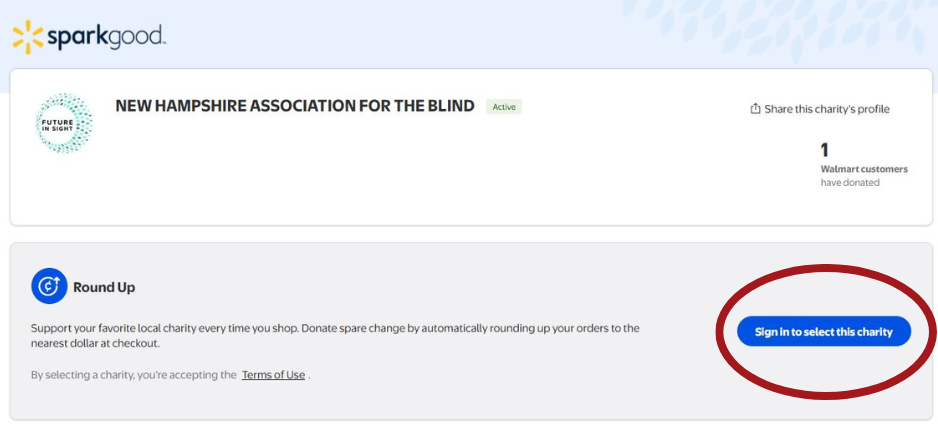
1. Click this link to get to the Spark Good area of Walmart.com. If you are not already signed into your Walmart.com account, click the “sign in to select this charity” button as pictured below.
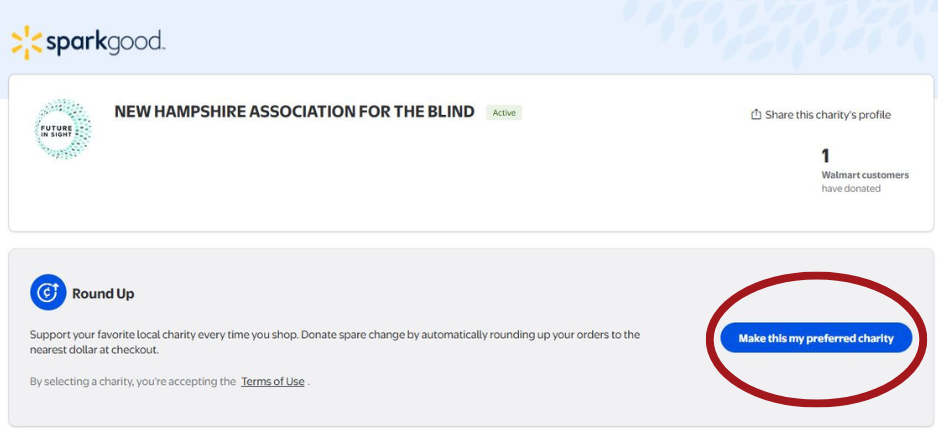
2. Once you are signed in, select the “make this my preferred charity” button.
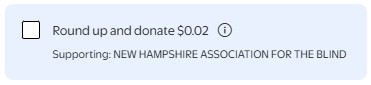
3. You should now be all set! Every time you make a purchase, scroll until you see the option to “round up and donate” and check the box before completing your purchase.
If you are using the Walmart app, follow these steps —
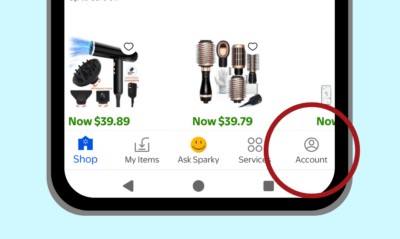
1. Open the Walmart app and tap the “account” button in the bottom right corner.
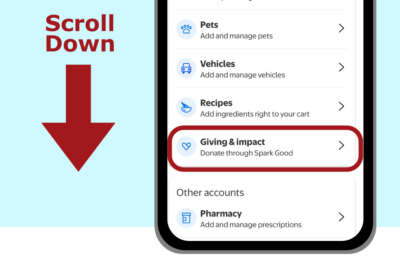
2. Scroll down until you find “Giving & impact” and select it; the browser on your phone will then open.
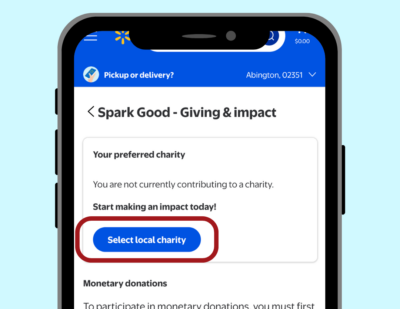
3. Tap the “Select local charity” button.
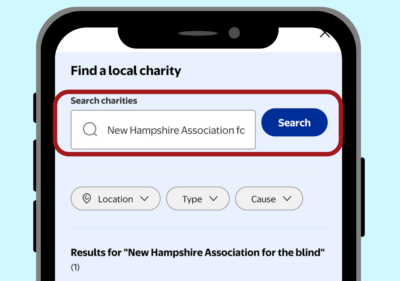
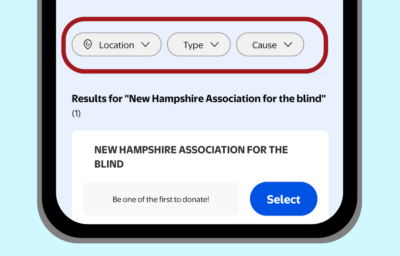
4. In the search box, type “New Hampshire Association for the Blind”. This is our legal name; if you type Future In Sight, it will NOT come up.
5. Select New Hampshire Association for the Blind when it appears in the search results.
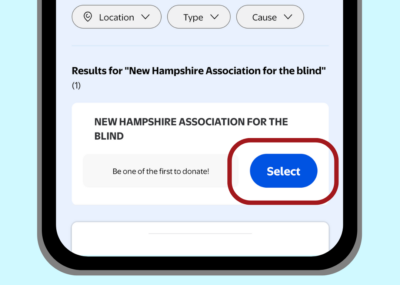
TIP: If you don’t see us in your search results, try removing the filters.
6. You should now be all set! Every time you make a purchase, scroll until you see the option to “round up and donate” and check the box before completing your purchase.