BLAST Tech Workshop: Magnify That, Please *ADULTS ONLY*
Whether you're on your computer, smart phone, or tablet, we'll give you a head start on how to enlarge the screen, and make the visual adjustments to work and play […]

Whether you're on your computer, smart phone, or tablet, we'll give you a head start on how to enlarge the screen, and make the visual adjustments to work and play […]

This workshop will focus on accessibility features for audiobooks, magazines and newspapers. These tech workshops are presented under a contract with Services for the Blind and Vision Impaired, a division […]
This workshop will share information on how current smart home technologies can benefit the blind and low vision community. This will include the use of smart speakers and a voice […]
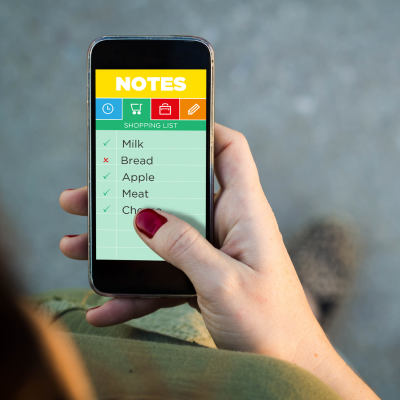
Jotting down grocery lists, storing vital information such as vaccinations and keeping user names and passwords are just 3 examples of the many ways in which the notes app proves […]

Sometimes it's difficult to determine when and how to set a reminder vs. a calendar appointment. This workshop will explore the options and walk you how to set them both. […]
Universal design assists our navigating documents and PDFs! We'll cover tips and resources in creating and looking for accessibility when it comes to working with documents on our Windows computers. […]
The focus will be on the accessibility features of the Apple desktop or laptop. We will discuss how you can change screen colors, text size, zoom in, reduce transparency, and […]
Did you know you can capture QR codes with your smart phone's camera to access a menu? You may even take a picture of text and use Talkback or Voiceover […]

Discover 8 important tasks for your Windows computer from cleaning it to organizing files and folders and taking control of your start up! To register now, click here. For instructions […]
Do you hunt and peck on your computer keyboard? Do you find it slow and tedious to type? If so, then this workshop is for you. In this workshop, we'll […]
This workshop will review and train users in the use of several social media platforms including Facebook, Face Time, messenger, Instagram, etc. The focus will be on both users who […]
We’ll focus specifically on making adjustments and enhancements for those with low vision using a Windows PC. Whether you want to adjust text size, bold or invert polarity, then this […]
The focus will be on the accessibility features of the PC desktop or laptop. We will discuss features like text-to-speech, enlarged cursor, and magnifier, that make using a PC easier […]
An overview of the layout, creating playlists, finding your history and subscribing to your favorite channels. YouTube has a lot to offer; whether it's learning an instrument, tech tutorials, following […]

No need to pull out your iPhone for these practical every day uses with your Apple Watch! We’ll take an in depth look at 5 fabulous and productive Apple Watch […]
The focus will be on the set-up of the device (i.e.: font size, contrast, background brightness, etc.), use of built-in accessibility features such as zoom, magnifier, speak screen/speak selection and […]
Has someone ever sent you an attached document you wanted to keep, but didn’t know how? Or, maybe you want to send a file but don’t want to copy and […]
If you are using a Windows PC, there are numerous hot key commands for everyone to use to make your computer experience easier! For instance by pressing the Alt key […]
Windows 10 will no longer be supported as of October 2025. After that date, Windows 10 users will be vulnerable to various security risks. Never fear, we’ll discuss some of […]
Don’t want to pay for the big streaming services, but wonder what some other accessible options are? Look no further. We’ll take a look at free streaming services such as […]
Tune up your TV viewing experience whether you're watching standard cable or using streaming services like Prime, Hulu, Netflix on your smart TV, Roku, or Fire TV. This workshop will […]
This workshop will look at three of the most popular screen readers, Narrator, NVDA, and Jaws, and how similarly they operate for basic tasks. An emphasis will be focused on […]
Have you wondered what the best way to take your temperature is? Or the best method to identify and/or manage medications? How do you hear step by step directions when […]

Focus on using Voiceover and Gestures to navigate the iPhone/iPad interface for those with limited or no vision. This workshop will be held in Nashua, NH. Participants must live in […]
Focus will be on the set-up of the device (i.e.: font size, contrast, background lighting, etc.), use of built in accessibility features such as, magnification, select to speak and the […]
Have you ever wanted to share a photo from your library, but not sure of which picture is what you need? Perhaps someone has sent you some wonderful photos, but […]
What is Bluetooth when it comes to sharing and connecting? Which devices can be connected and how? These are the questions and more we’ll be covering in this workshop all […]
Using beneficial apps provides access to print such as reading the mail, identifying prescription bottles, spices and cooking instructions, and reading menus. They also offer details in the world around […]
Become comfortable and advance your Gmail skills from the basics of sending and receiving emails to scheduling emails, unsending, how to search, and labeling! We’ll cover Gmail for the computer […]
Are you overwhelmed by constant notifications on your computer or smart phone? Maybe you’re not receiving the notifications that keep you on track. This workshop will help you to gain […]